How to access the WordPress admin account?

WordPress is a CMS software with an easy to access admin account and a simple to manage blog system. In order to access your WordPress account, you need to follow these instructions:

1. Open http://example.com/wp-admin (Replace example.com with your domain name) in your browser.

2. Enter your WordPress username and password in the login fields an click on Login.
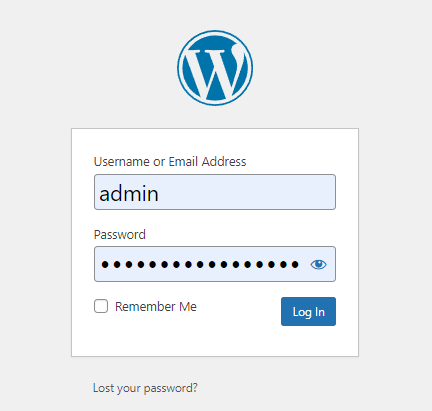
3. WordPress will redirect you to the WordPress Admin Dashboard.

Was this answer helpful?

Related Articles

How To Install Wordpress In cPanel

We provide a quick install for WordPress. If you want to install WordPress please follow these...

Enabling WordPress Cache

Login to your cPanel account and search for Litespeed and select the Litespeed Web Cache...

How to remote import a Wordpress site via Softaculous using cPanel or FTP login details

Login to cPanel then scroll down to the Softaculous Apps Installer heading then click on the...

Powered by WHMCompleteSolution